Aug 30, 2012
COMMENT HELL
May 5, 2012
REPLY…NO REPLY…THAT IS THE QUESTION
I love your comments and questions and do my very best to reply to every one of them. I get an email message notification of every comment.
Sadly many of you don’t get replies because you don’t have an email address linked up to your profile.
If I try to reply to your comment I get the dreaded “noreply-comment@blogger.com” and I can’t email you back. Not good!!!!
Let’s fix this okay. Click on the big B for Blogger at the top left of your blogger blog.
This will take you to your dashboard. Now look on the top right where you will see your profile photo.
Click on the drop down menu and choose Blogger Profile.
Do you see the “Email Me” line under your profile info? No? Then you my dear blogging friend are a No Reply Blogger and I can’t reply to you but even worse I can’t connect directly to your blog and if I don’t know you I may be missing out on all your wonderful blog posts that you do.
If that email link isn’t there you need to go to the top right where it says Profile and click on that.
On the left hand side you can now click the box that says "show my email address”. Save your changes and voila we can connect.
If you are not wanting your regular email address shown set up a separate email address just for your blog. They are free, you just have to remember that you are using it and regularly check your inbox.
There you have it! Make sure you save your changes. When you comment on a blog now we can reply to your comment and even more important we can find your blogs too.
Now leave me a comment so I can reply!!!!
Apr 3, 2012
COMMENT SPAM
Within half an hour of changing my comments to a pop up window again, to aid those who said they have trouble commenting, I have received spam. I rarely ever get spam comments but every time I switch it to anything but embedded comments it starts up again.
I am not going to moderate beforehand and I am not going to captcha or stop anonymous comments. I am going back to embedded comments and I am really sorry if you can no longer comment on my blog. I suggest trying a different web browser to see if that makes a difference.
Feb 6, 2012
JUST AN OBSERVATION
I had recently switched from embedded comments to comments with a pop-up window because I had read that people had trouble commenting on the embedded ones since the reply to comment update came into play.
From the moment I switched I started getting spam comments. I used to get maybe one every 8 months or so and suddenly I was getting 5-8 per day, every day.
I get an email notification for every comment left so I knew they were coming in but luckily the Spam detector worked and they were all caught and not posted. I don’t use word verification and never will (hopefully).
Now yesterday I switched back to the embedded comments and today…..no spam….none. Coincidence? Maybe. Might be too soon to tell. I really want to keep anonymous comments available because lots of my readers are not bloggers and they don’t have any other way of leaving a comment.
I’ll keep you posted. Maybe you can let me know if you can comment and also if you get lots of spam. Do you have embedded comments or pop-ups?
Jan 26, 2012
TROUBLE COMMENTING?
It has come to my attention that some people are having trouble commenting since they new reply option was added to the comment section.
Please email me if this is the case and I will change my comment setup. My email link is right there on my sidebar with the big envelope and the @ symbol on it.
I have also heard that this problem occurs when you are trying to comment while using Internet Explorer.
The problem is not there if you use Firefox or Google Chrome for some reason. You may want to try these other browsers instead…not just to comment here but for a better internet experience all around.
Jan 11, 2012
TALK TO ME BABY
I am so excited with the new roll out by Blogger.
You can now reply directly to a comment made by someone else on my blog.
This will keep a thread of comments together rather than have your comments languish further down the page where they may not seem relevant to the previous comments.
From Blogger:
“what do you have to do to enable this on your blog? Nothing! If you have Blogger’s commenting feature enabled, “Blog Feed” set to “Full”, and are using “Embedded” comments, then you’re ready to start a discussion with your readers. To check, or change your feed settings, select: “Settings > Other >, and then “Full” from the “Allow Blog Feed” dropdown”
Blogger also says:
“A threaded commenting system means more discussion and back-and-forth dialogue. If you’d like to be notified of any updates to a discussion, just click “Follow by email” to subscribe to the thread. This way, you’ll be notified via email so you can keep up with the conversation. Keep in mind that this is a different subscription than the “Follow by email” gadget used to follow another blogger’s blog posts.”
I look forward to the dialogue that this will hopefully encourage on my blog.
Jun 2, 2011
COMMENT TROUBLES?
If any of you are still having trouble commenting go by Living in France to read the instructions on fixing this.
It is at the bottom of Mimi’s post about her son’s 8th. birthday….Happy B-day to him….
And thanks Mimi for sharing the fix with us. I miss my comments for sure.
Sep 1, 2009
BLOGGER YOU'RE KILLIN' ME HERE
I tried their advice and it did nothing except for break my email button.
Now I looked at my blog and all my comments are at the top of the post instead of the bottom. Okay I know how to change this. In I go to edit the section and move it back to the bottom but it won't change on the blog. It moves in the editor but not in the actual post. Just sits there.
I do not want comments at the top of my posts. Grrrrrrrrrrrrrrrrrrrrrrrrrrrrrrrrrrrrrrrr. Who else is having issues? I went back to the old editor but still can't change this.
Jul 27, 2009
COMMENT TROUBLES OR NOT
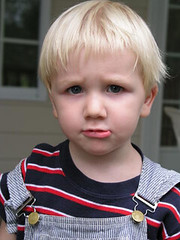
Image by tracy the astonishing via Flickr
Jul 18, 2009
THE VOTES ARE IN
Here are the results of the one week poll that was on my site.
I think it is absolutely hilarious that nobody chose the one that says:
You never leave a comment.
What makes you leave a comment on a blog?
Content strikes a chord | 6 (75%) |
Pictures knock your socks off | 2 (25%) |
You have a question | 1 (12%) |
You always participate | 2 (25%) |
You never leave a comment | 0 (0%) |

![Reblog this post [with Zemanta]](http://img.zemanta.com/reblog_e.png?x-id=6035413d-ece0-48f3-9a18-c19096c1ca2e)
![Reblog this post [with Zemanta]](http://img.zemanta.com/reblog_e.png?x-id=f38f9b2c-0f79-4c0a-87fa-c6e0074dd38a)